Section 3: Generating the Certification Number
SECTION 3: GENERATING THE CERTIFICATION NUMBER^ The Certification Number is different for each HDD (Hard Disc Drive) navigation system. Make sure you are connected with the CF adaptor to the system (vehicle) that you will be updating.
1. Turn ON the Consult PC.
2. Open / start ASIST.
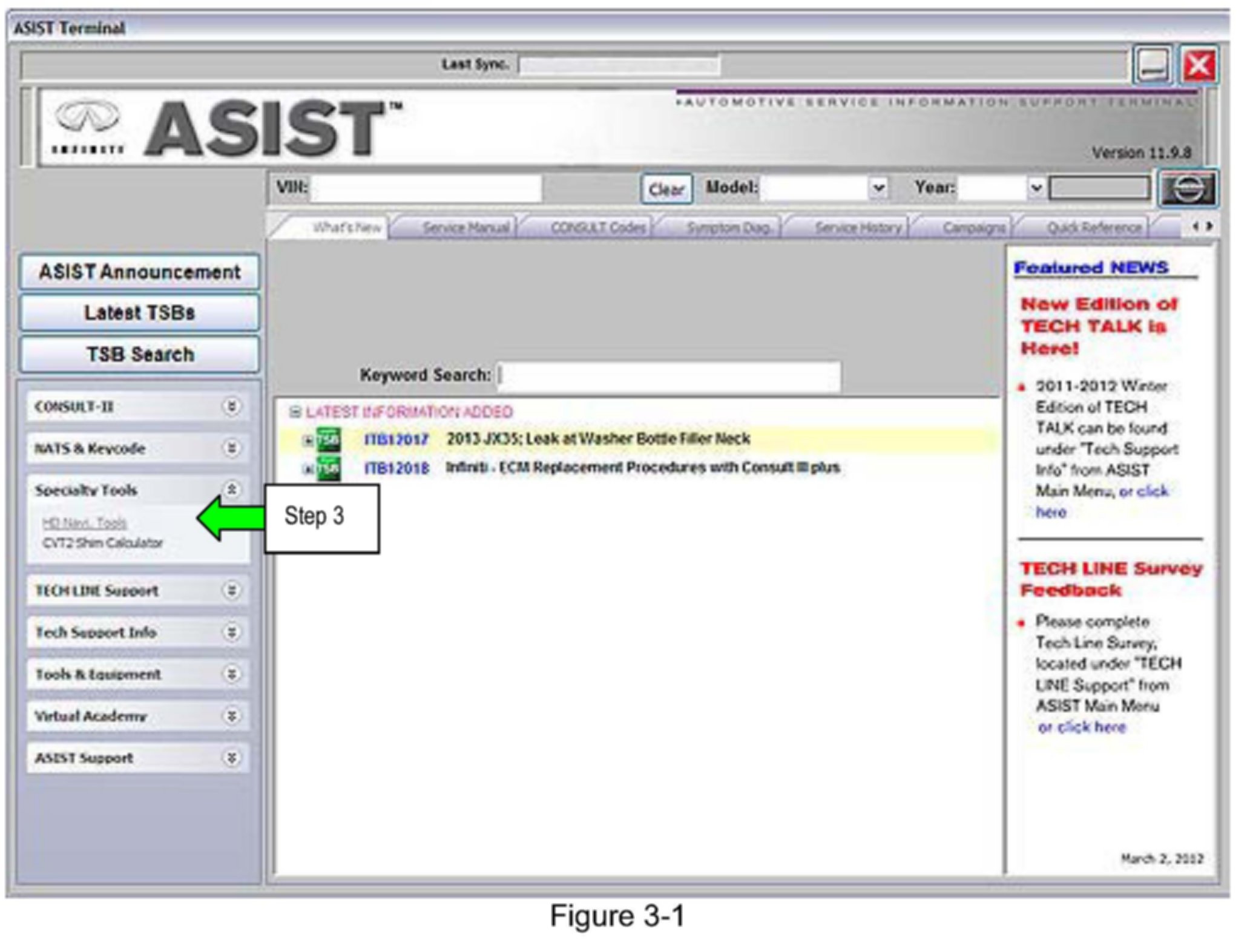
3. Select Specialty Tools, Then HD Navi. Tools.
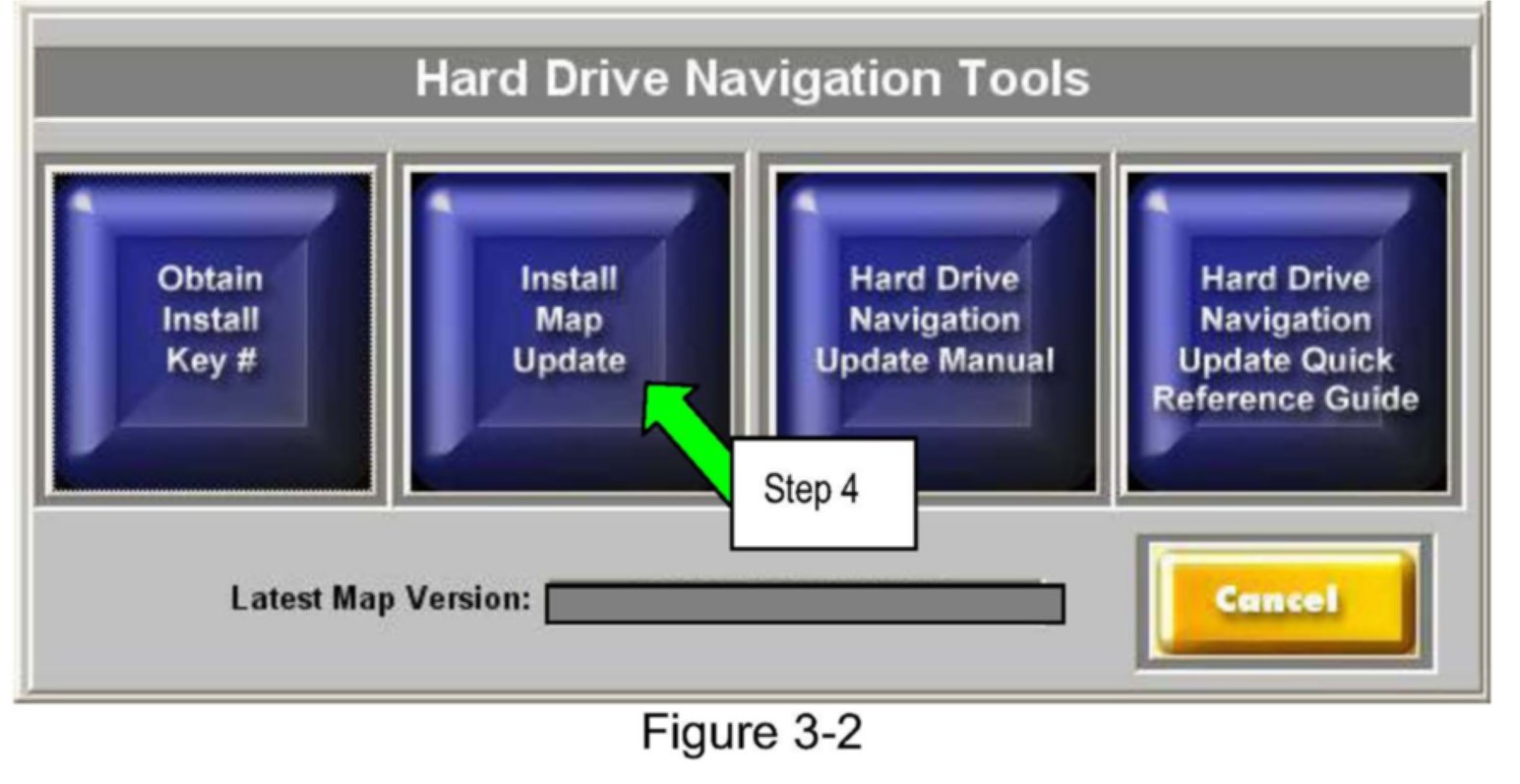
4. Select Install Map Update
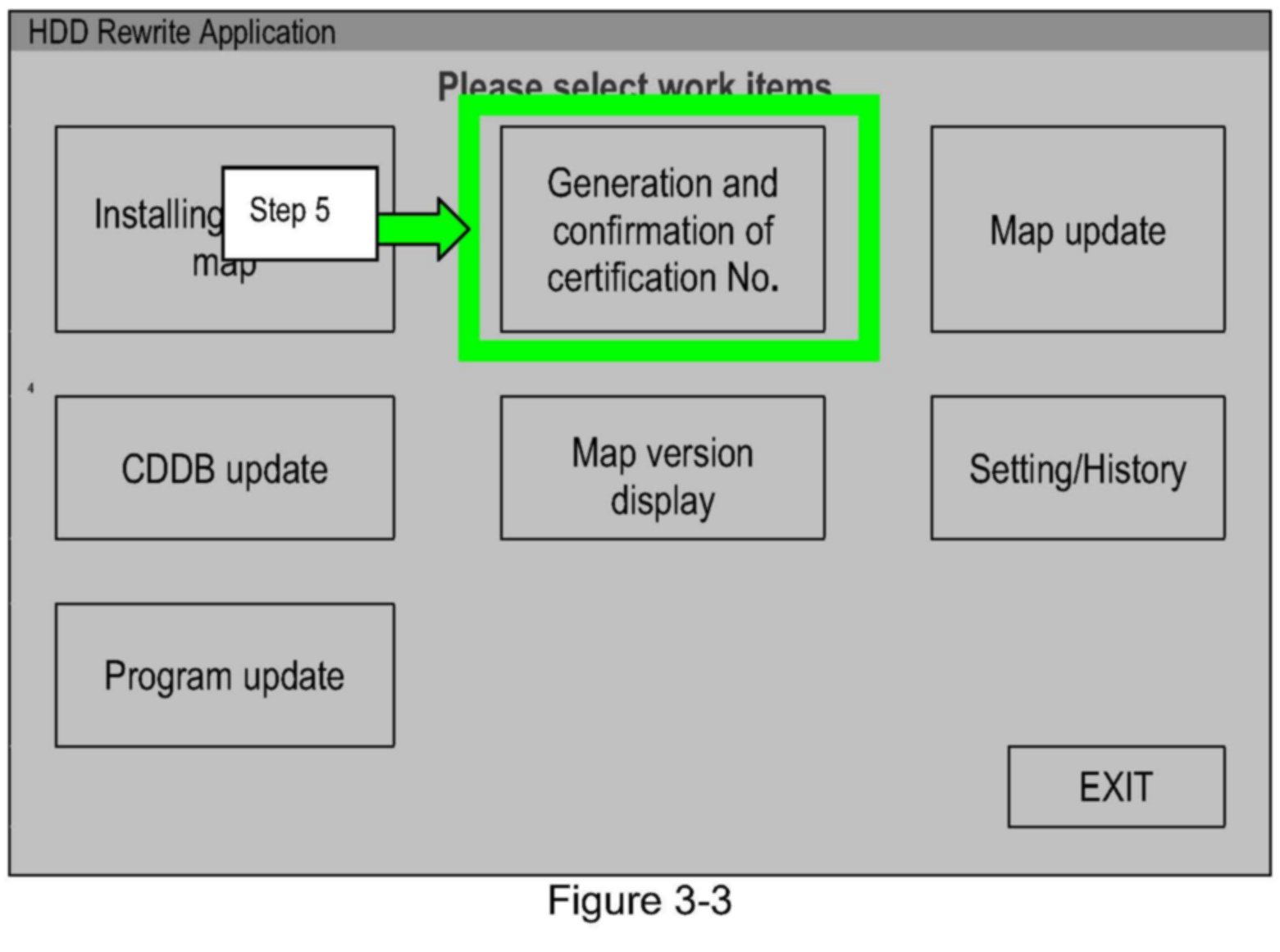
5. Select Generation and confirmation of Certification number.
NOTE:
If the HDD Rewrite application was open/running when you connected to the navigation system (plugged in the CF adapter), the navigation system may not be recognized and you may get an error message. In this case, exit/close ASIST, then start it again (reopen it).
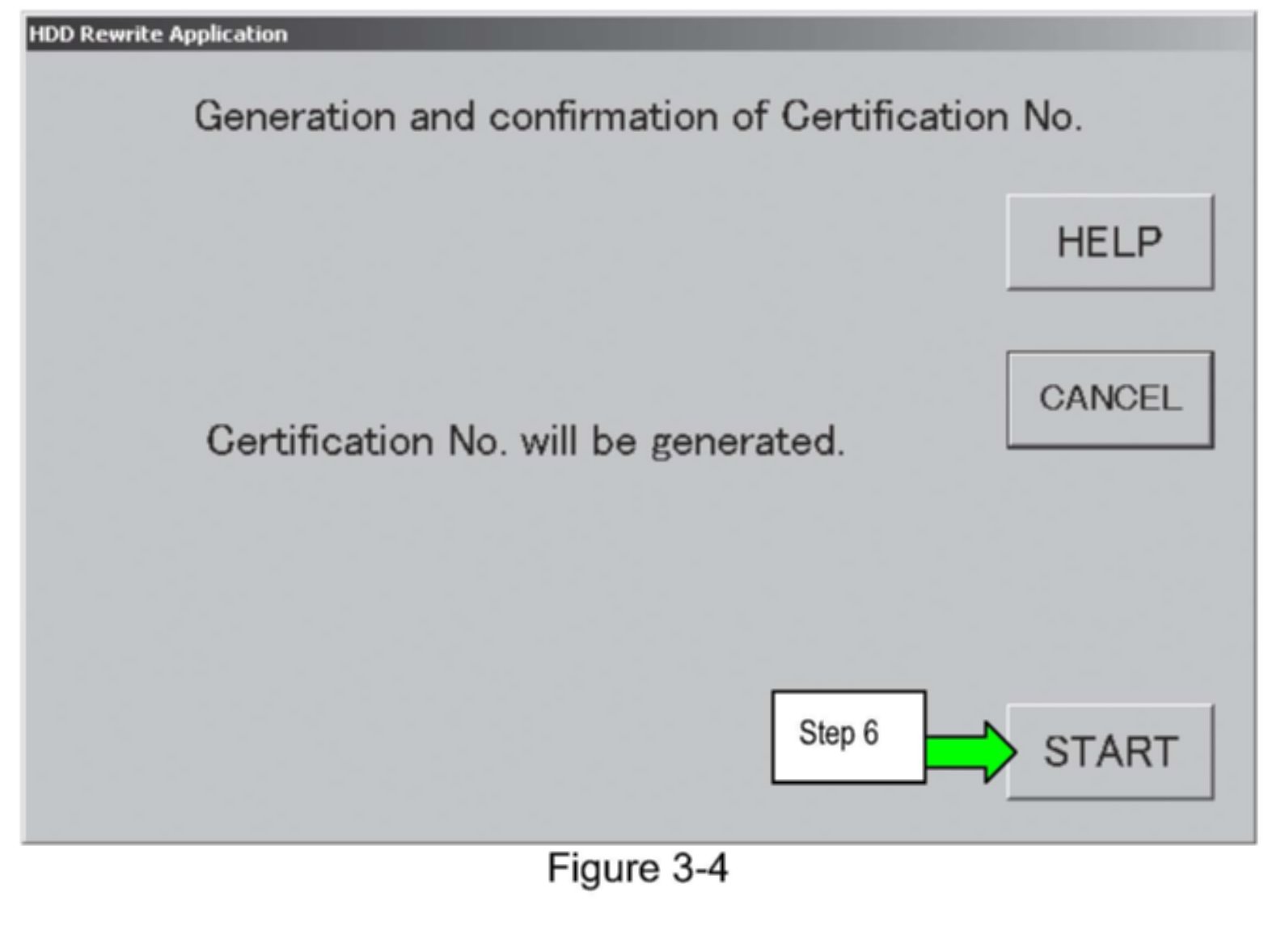
6. Click START
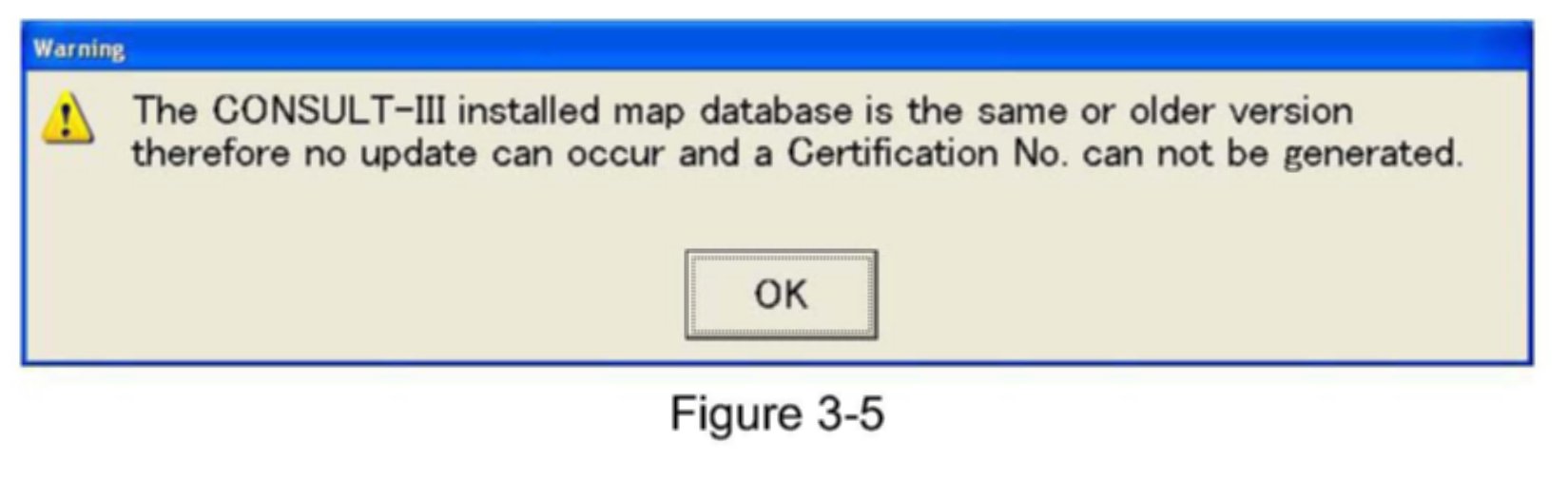
NOTE:
If you get the message shown in Figure 3-5:
^ The map data installed in your Consult PC is the same or older than the map data in the vehicle. The map update may not be needed.
a. Skip to Section 6 (disconnect the Consult PC from the vehicle navigation system).
b. Check the map version in the vehicle (see section 7).
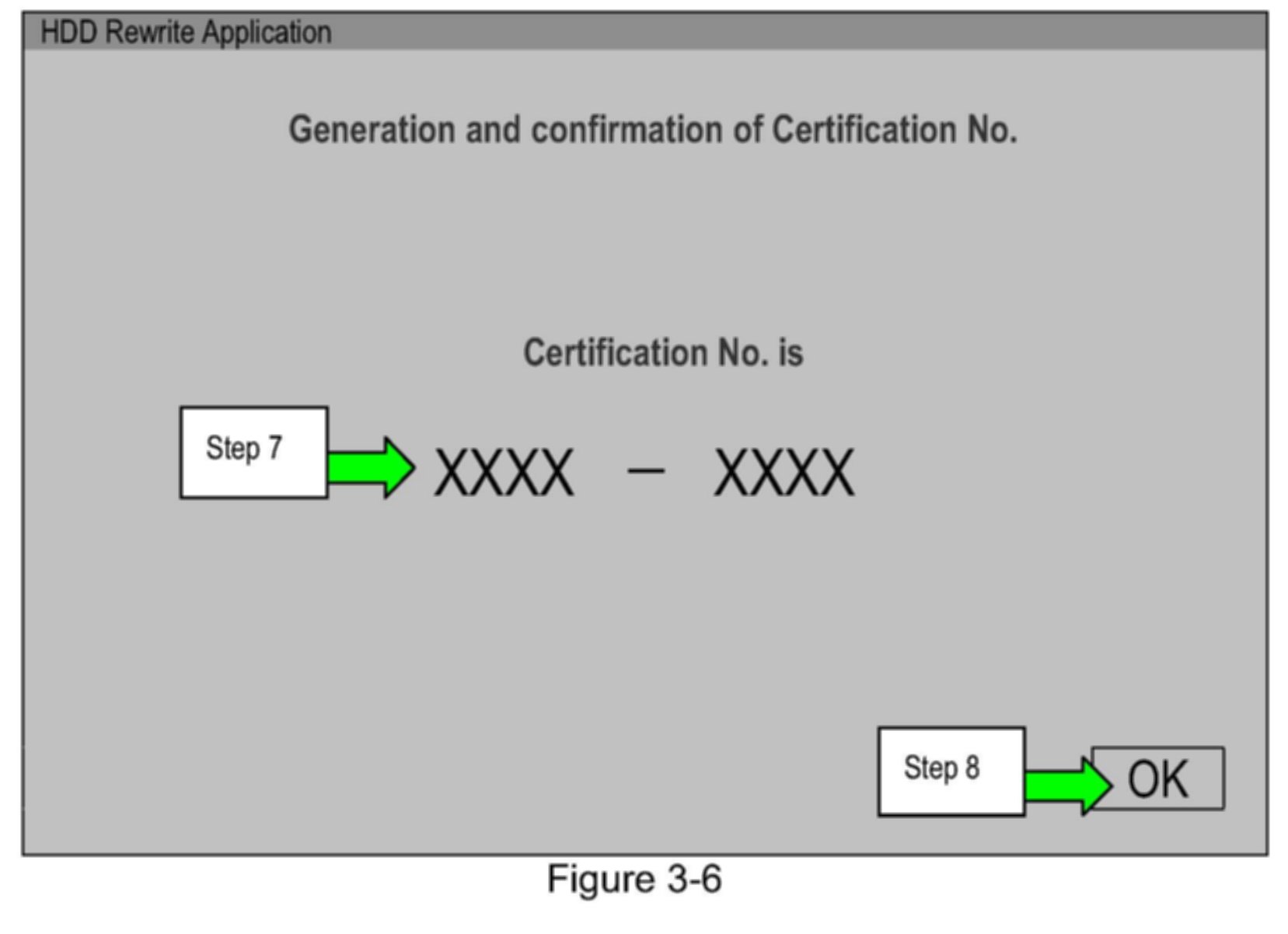
7. Write down the Certification Number.
8. Select OK