Section 2: Connecting the Consult PC to the HDD Navigation System
SECTION 2: CONNECTING the Consult PC TO THE HDD NAVIGATION SYSTEM^ All navigation components must be installed in the vehicle and connected correctly.
^ Make sure the vehicle battery is charged and connected.
^ Do not touch the CF (Compact Flash) adapter with wet hands.
CAUTION:
^ Do not turn the ignition ON when the Consult PC is connected to the navigation system with the CF (Compact Flash) adapter.
^ Obey the following instructions; otherwise the CF Adapter, CF card slot, or navigation system may be damaged.
1. Make sure the ignition is OFF.
2. Close any applications that are running on the Consult PC.
^ If the Consult PC is OFF, leave it OFF for now.
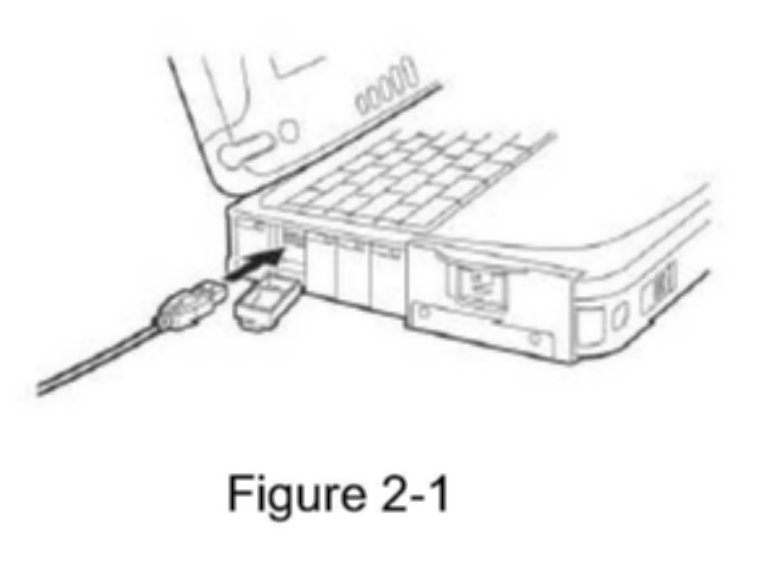
3. Connect USB cable to the Consult PC.
^ Make sure connector is fully inserted.
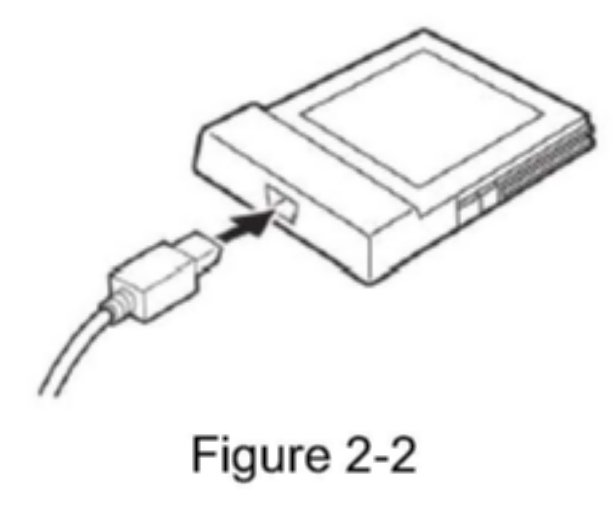
4. Connect the other end of the USB cable to the CF (Compact Flash) adapter.
^ Make sure connector is fully inserted.
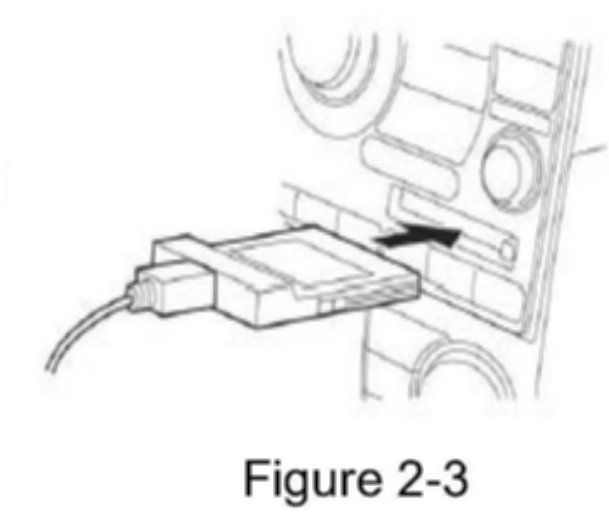
5. Carefully insert the CF adapter into the CF card slot of the vehicle audio/navigation system.
^ Label side UP.
^ Insert it all the way (firmly), to its stop.