Checking Current MAP Version In the Vehicle Using the Nav. Screen
Checking Current Map Version in the Vehicle Using the Vehicles Navigation Screen^ Make sure the CF (Compact Flash) adapter is disconnected from the navigation system before performing the following steps.
1. Turn the Ignition to ON or ACC, and turn ON the navigation system.
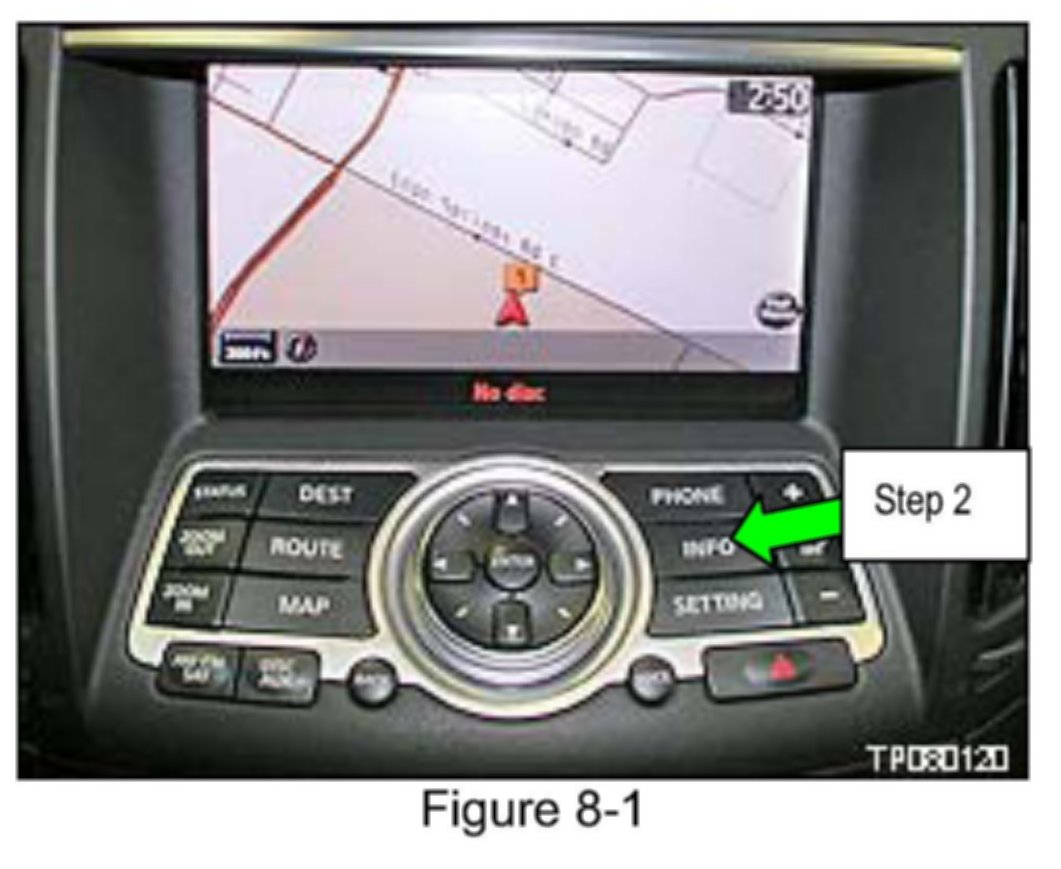
2. Select INFO
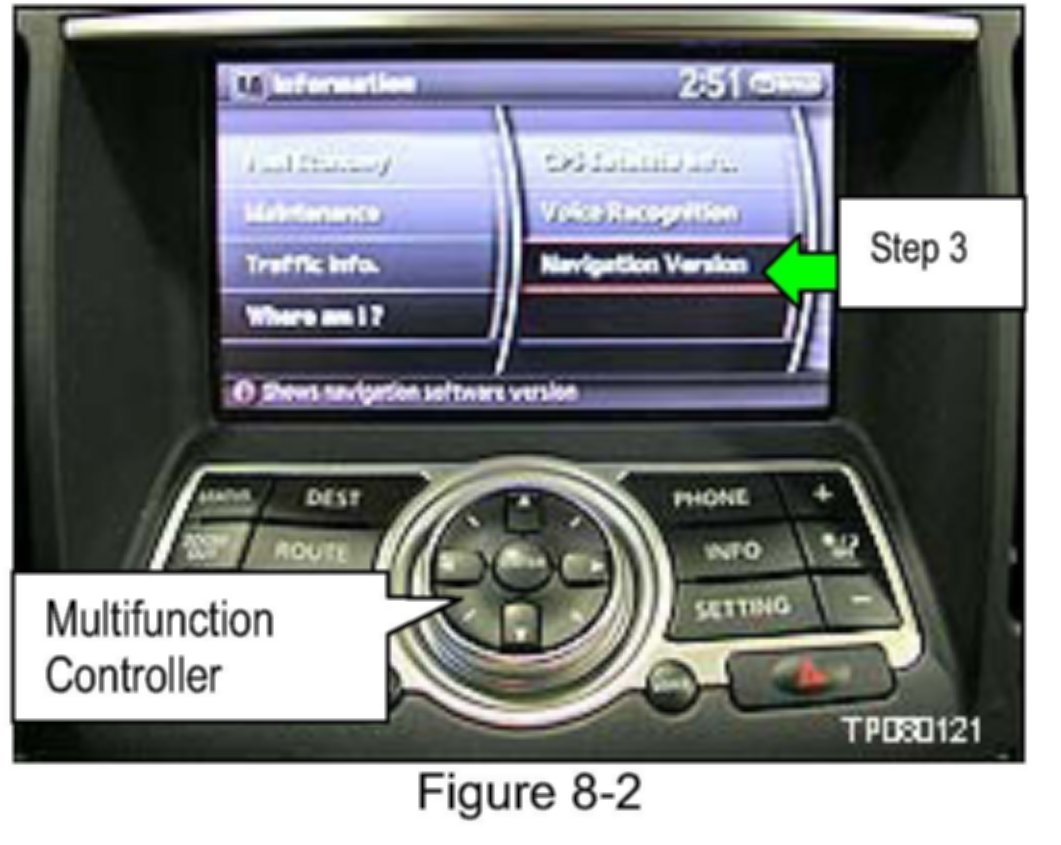
3. Use the arrows and enter buttons on the Multifunction Controller to select Navigation Version.
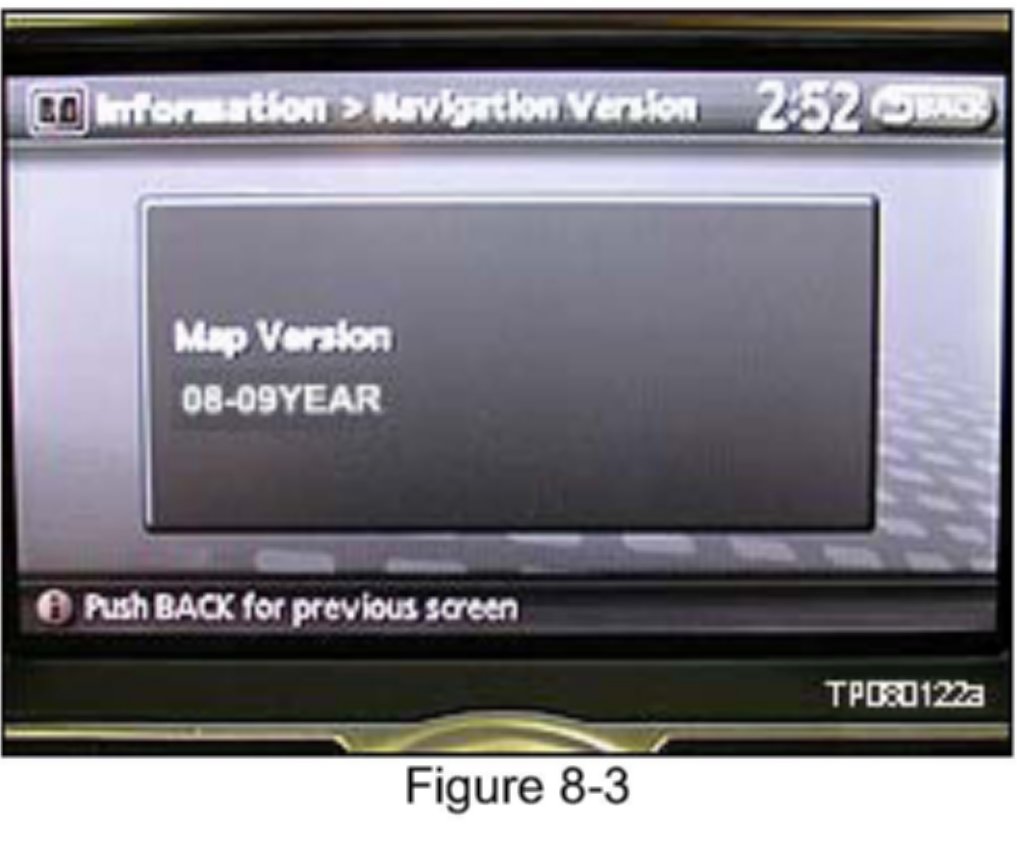
^ The navigation / map version displays as shown in Figure 8-3.