Section 2 - Connecting C-III to the Audio System
SECTION 2: CONNECTING C-III TO THE AUDIO SYSTEM^ Make sure the vehicle battery is charged and connected.
^ Do not touch the CF (Compact Flash) adapter with wet hands.
CAUTION:
^ Do not turn the ignition ON when the C-III computer is connected to the audio system with the CF (Compact Flash) adapter.
^ Obey the following instruction; otherwise the CF Adapter, CF card slot, or navigation system may be damaged.
1. Make sure the ignition is OFF.
2. Close any applications that are running on the C-III computer.
^ If the C-III computer is OFF, leave it OFF for now.
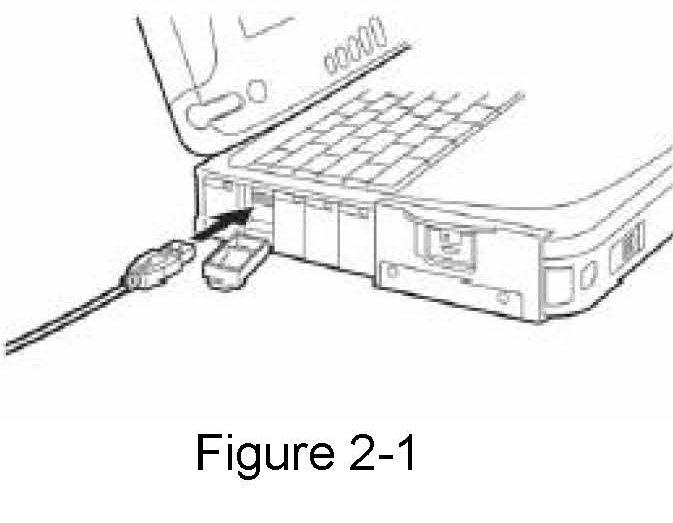
3. Connect USB cable to the C-III computer.
^ Make sure connector is fully inserted.
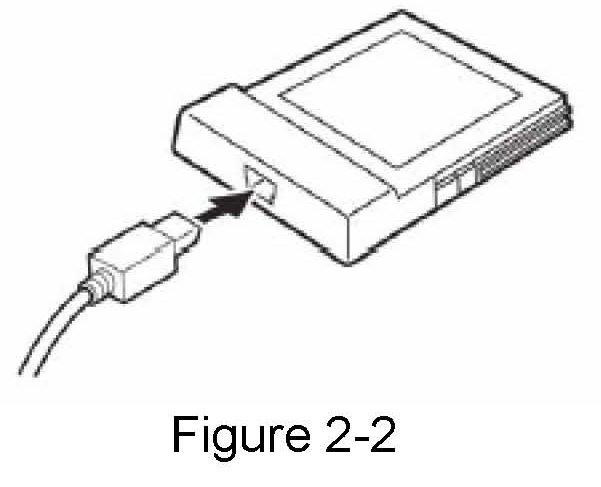
4. Connect the other end of the USB cable to the CF (Compact Flash) adapter.
^ Make sure connector is fully inserted.
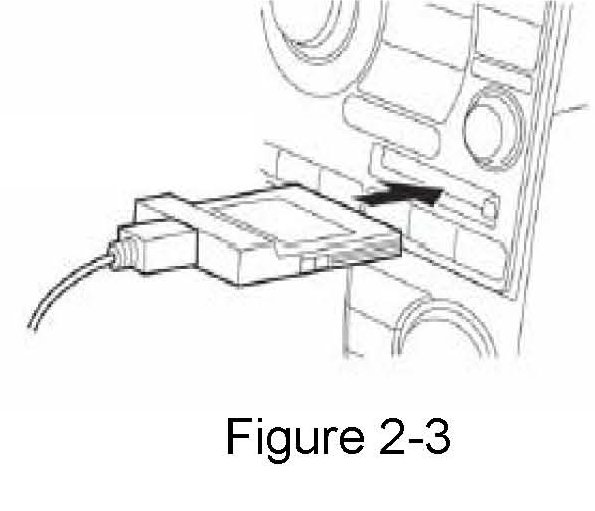
5. Carefully insert the CF adapter into the CF card slot of the vehicle audio/navigation system.
^ Label side UP.
^ Insert it all the way (firmly), to its stop.