Forced Completing of In Line Diag
Forced Completing of In Line Diag
Follow the steps below to prevent the screen from showing up in the future:
1. While displaying the In Line Diag screen, press and hold the EJECT button, the POWER (

) button, and the HOME button until the Select Diagnosis Items menu screen is displayed
2. While displaying the Select Diagnosis Items menu screen, press and hold the HOME button until the In Line Diag setting screen is displayed.
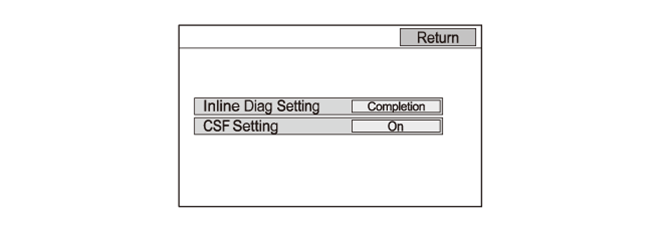
3. Set the Inline Diag Setting to Completion, the confirmation screen appears
4. When Yes is selected, the system restarts. After the restart, the In Line Diag should not appear again.