Engine Oil Replacement Reminder Reset - Procedure 11
Maintenance Minder messages begin appearing on the i-MID when engine oil life is less than 15%. The system message indicator comes on along with the Maintenance Minder message.
- Turn the ignition switch to ON (II).
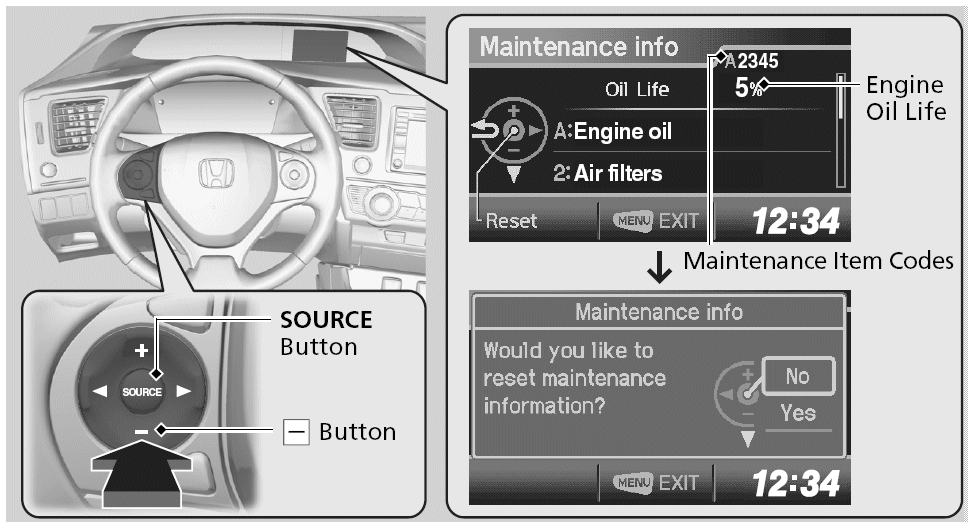
- Press the MENU button to go to VEHICLE INFORMATION. See Fig 1.
- Select VEHICLE INFORMATION with the PLUS (+) button, then press the SOURCE button.
- Press the SOURCE button again to go to the MAINTENANCE INFO screen. The engine oil life appears on the i-MID.
- Select YES with the MINUS (-) button, then press the SOURCE button. The displayed maintenance items disappear, and the engine oil life display returns to 100%. Any maintenance items that are necessary for this vehicle at the next maintenance service will appear.
- To cancel the oil life reset mode, select No, then press the SOURCE button.