Updating Software In The ROBINAIR R-1234YF A/C Recover, Recycle, Recharge Machine (JA1289)
WARNING: This page is about the CR-V EX, Eng CD K24V1, which is a different variant/trim than selected.
Publication date: 2021-05-01Reference number: JA1289
Supersedes refnos: AJA12898
UPDATING SOFTWARE IN THE ROBINAIR R-1234YF A/C RECOVER, RECYCLE, RECHARGE MACHINE
TECHNICAL SERVICE BULLETIN
Reference Number(s): JA1289, Date of Issue:
May 01, 2021
Superceded Bulletin(s): JA1289 Version 2, Date of Issue:
March 01, 2020
| HONDA: | All Models |
NOTE:
Supersedes version 2, dated March 2020. See REVISION SUMMARY
AFFECTED VEHICLES
All models using R-1234yf refrigerant
REVISION SUMMARY
The images in this job aid have been updated to reflect the current software version; American Honda recommends you read this entire job aid.
BACKGROUND
This job aid shows you how to update the software in the Robinair R-1234yf Recover, Recycle, Recharge Machine (Model No. ROB421234).
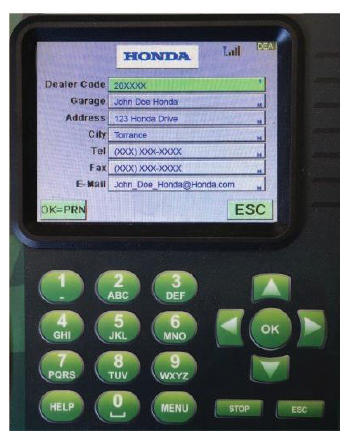
CHECKING/ENTERING DEALER INFORMATION
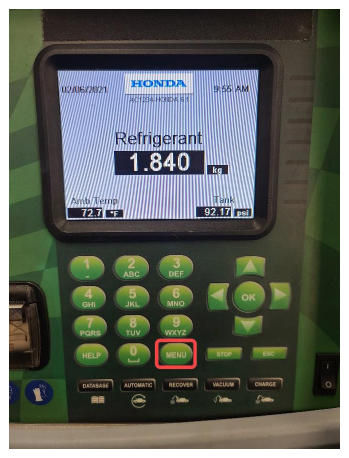
- Press MENU.
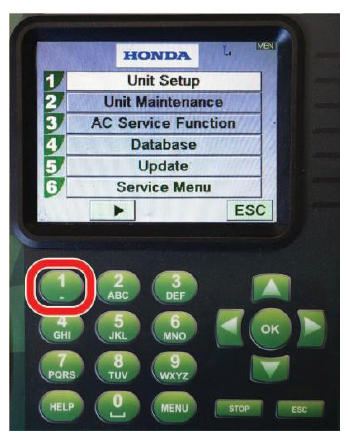
- Press 1
to select Unit Setup.
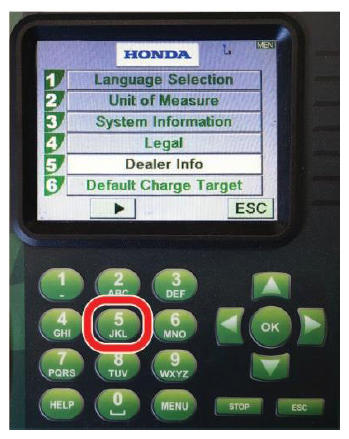
- Press 5
to select Dealer Info.
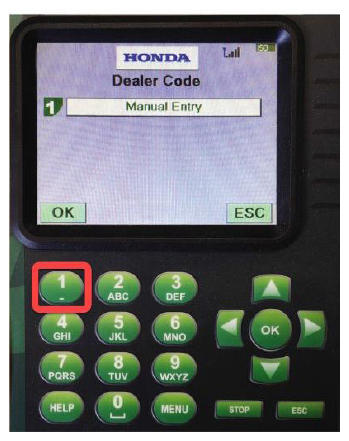
- Press 1
to select Manual Entry.
- Use the arrow keys and keypad to enter or correct your dealer information.
WI-FI CONNECTION SETUP
NOTE:
If the machine is already connected to Wi-Fi, go to SOFTWARE UPDATE INSTALLATION .
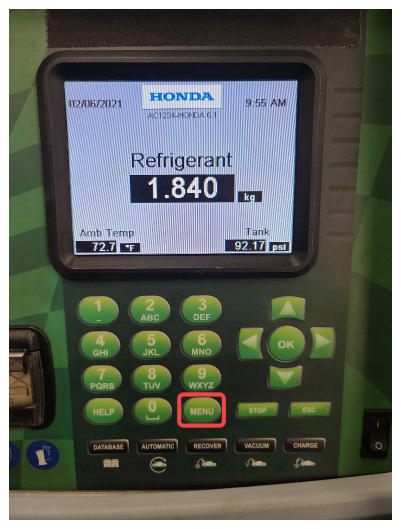
- Press MENU.
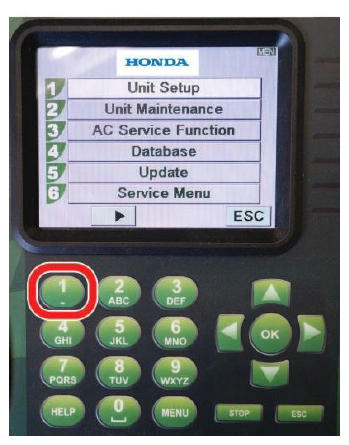
- Press 1
to select Unit Setup.
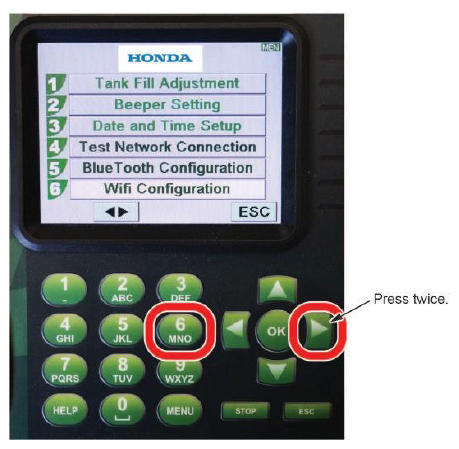
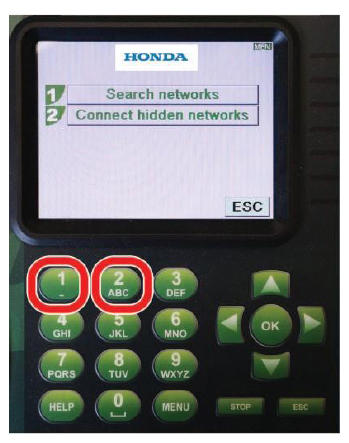
- Press the right arrow twice, then press 6
to select Wifi Configuration.
- Press 1
or 2
depending on your Wi-Fi network setup.
- Follow the remaining screen prompts to complete the Wi-Fi configuration.
SOFTWARE UPDATE INSTALLATION
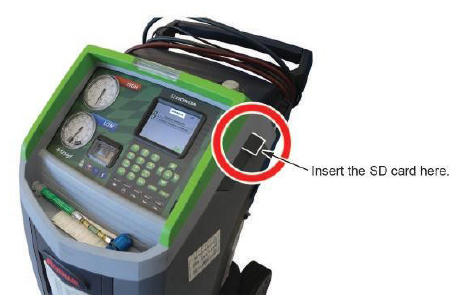
- Insert an SD card into the A/C machine.NOTE: An SD card was included with the machine when delivered. If the SD card is missing, insert a blank SD, SDHC, or SDXC card between 32 MB and 16 GB capacity (minium class 4) formatted to FAT or FAT32.
- Make sure the Wi-Fi is connected.
- Reboot the machine.
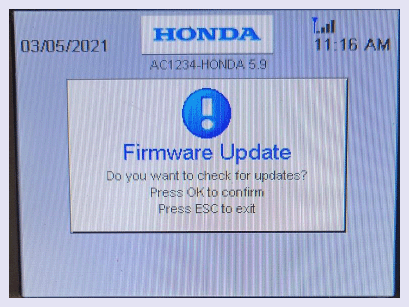
- The machine will prompt a firmware update; press OK. NOTE: If the machine does not prompt a firmware update, the machine is not connected to the Internet. Check the Wi-Fi connection again.
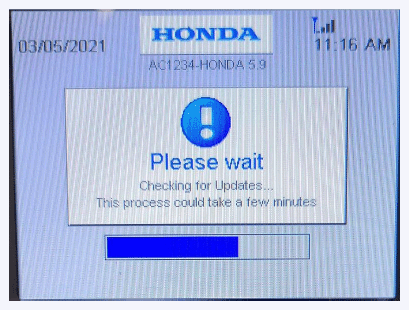
The machine will search for the new updates; this can take several minutes.
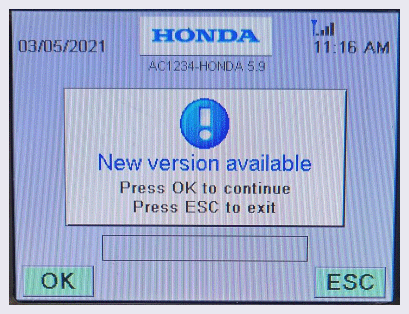
- When the machine shows New version available
, select OK
.
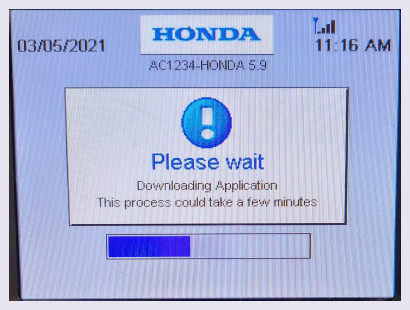
The machine will start downloading the new software to the SD card.
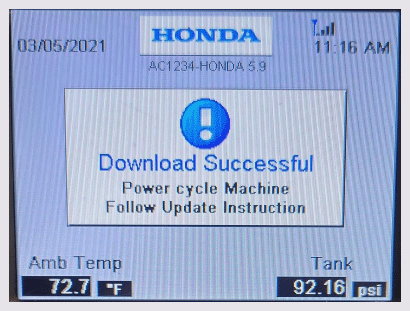
NOTE: The download can take several minutes depending on internet speed.When the download is complete, the machine will show the download was successful.
- Reboot the machine.NOTE: Do not remove the SD card from the machine.
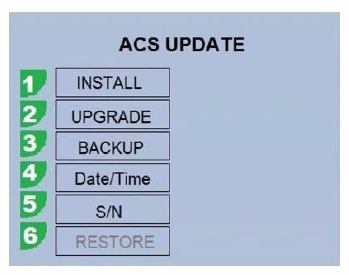
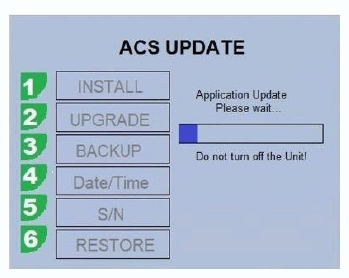
- When the following screen appears, press 1
to select INSTALL.
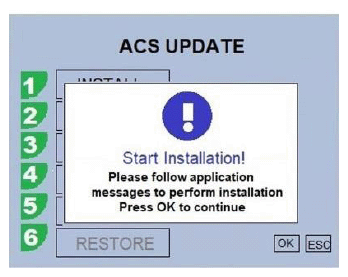
- When the Start Installation!
screen appears, press OK.
The installation will start.
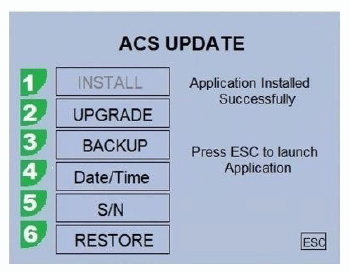
- When the installation is complete, press ESC.
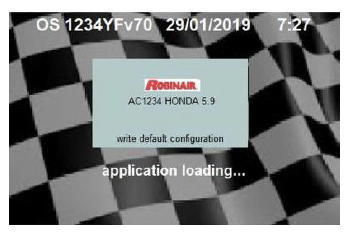
The new application will start loading.
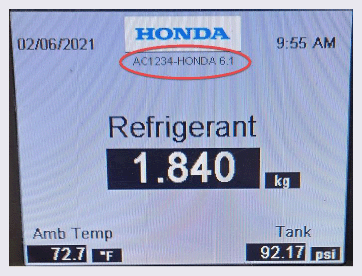
- Once the application launches, make sure the software version listed under the Honda logo lists the Robinair R-1234yf A/C Recover, Recycle, Recharge Machine software version shown on the iN.NOTE:
- To check for the latest software version, from the iN home page, go to SERVICE > Service Bay > Diagnostic Tools Software Versions.
- Always make sure you have the latest software version. If not, update it.
END