Removal & Installation
SRS components are located in this area. Review the SRS component locations and the precautions and procedures before doing repairs or service.
NOTE:
- When working on electronic components, make sure the work area is clean and dust free.
- Make sure your hands are clean and free of oils and grease.
- If the audio-navigation unit (audio unit) is replaced, install the original SD card into the new audio-navigation unit (audio unit).
- The audio-navigation unit (audio unit) and the SD card module cannot be substituted separately for testing purposes. If you need to substitute a known-good audio-navigation unit (audio unit) for testing, substitute a known-good unit and SD card module at a time.
- 1. Audio Unit Assembly (Without Navigation) - Remove - Refer to: Audio Unit Removal and Installation(With Display Audio) Audio Unit Removal and Installation(With Normal Audio)
- 2. Audio-Navigation Unit Assembly (With Navigation) - Remove
- 3. SD Card - Remove
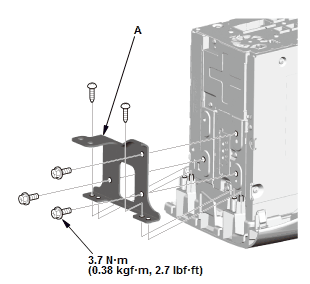
1. Remove the left side bracket (A).
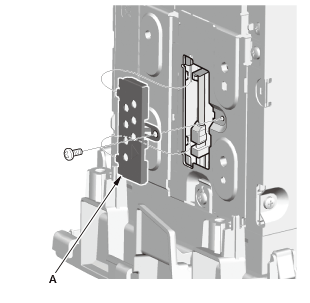
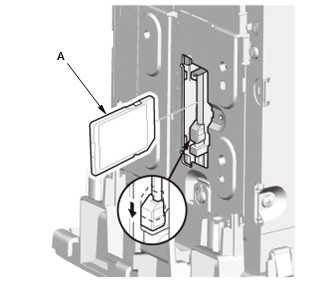
2. Remove the SD cover (A). 3. Remove the SD card (A). - 4. All Removed Parts - Install the SD card in the reverse order of removal.