Alternator Overhaul: Disassembly
NOTE: Refer to the Exploded View if needed during this procedure.
- 1. OAD Pulley - Remove
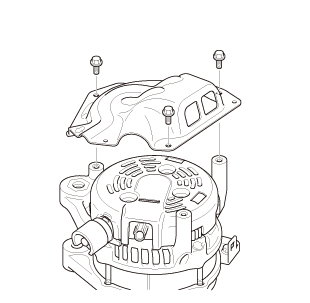
- 2. Heat Shield, End Cover, and Terminal Insulator - Remove
1. Remove the Heat Shield.
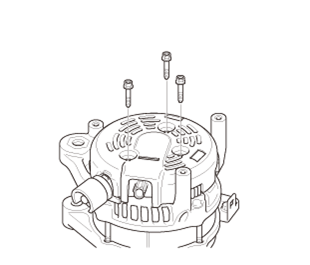
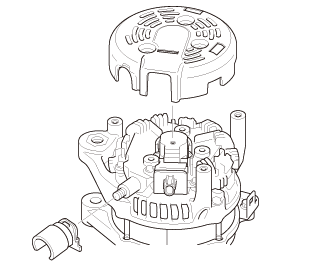
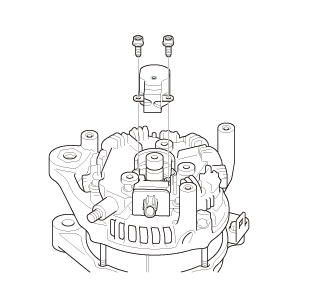
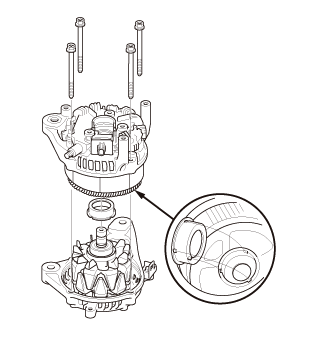
2. Remove the three bolts. 3. Remove the end cover and the terminal insulator. - 3. Brush Holder Assembly - Remove
- 4. Brush - Inspect
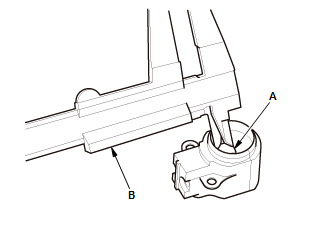
1. Measure the length of both brushes (A) with a vernier caliper (B). If either brush is shorter than the service limit, replace the brush holder assembly.
Alternator Brush Length Standard (New): 10.5 mm (0.413 in) Service Limit: 1.5 mm (0.059 in) - 5. Stator Assembly and Bearing Holder - Remove
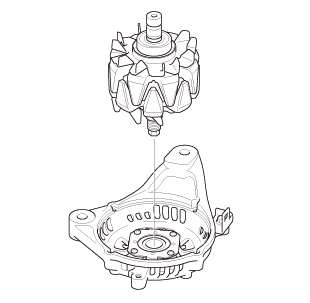
- 6. Rotor - Remove
NOTE: Inspect the rotor shaft for scoring, and inspect the bearing journal surface in the drive-end housing for seizure marks. If the rotor is damaged, replace the rotor assembly.
- 7. Rotor Slip Ring - Test
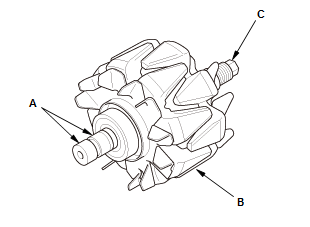
1. Check for continuity between the slip rings (A):
- If there is continuity, go to step 2.
- If there is no continuity, replace the rotor assembly.
2. Check for continuity between each slip ring and the rotor (B) and the rotor shaft (C).
- If there is continuity, replace the rotor assembly.
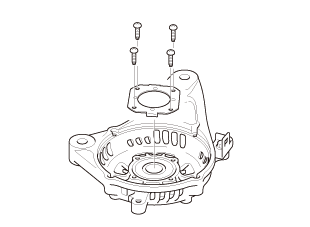
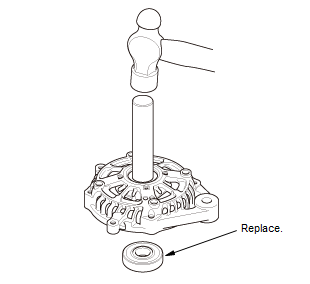
- 8. Front Bearing - Remove
1. Remove the front bearing retainer.
2. Drive out the front bearing with a brass drift and a hammer.