Description And Operation
ADAPTIVE CRUISE CONTROL
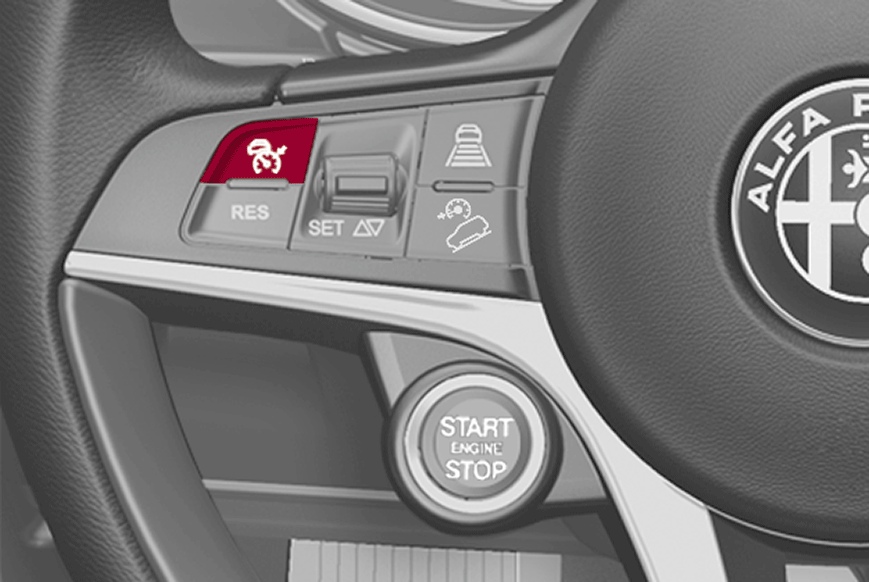
The Adaptive Cruise Control (ACC) is an electronically controlled driving assist device which combines the Cruise Control functions with a function for monitoring the distance from the vehicle ahead to keep the vehicle at a set speed and distance without needing to touch the brake and accelerator pedals (the distance can be set by the driver using the specific switch).
The ACC uses a radar sensor, located behind the front bumper and a Forward Facing Camera Module (FFCM), located in the middle of the windshield, to detect the presence of a vehicle ahead.
The steering wheel controls are sent to the Body Control Module (BCM) via the Local Interface Network (LIN). The BCM translates the controls received and sends them to the Controller Area Network (CAN).
The modules involved in the ACC functions activate their specific strategies after having received the messages. All the involved modules, Anti-Lock Brake System (ABS), Instrument Panel Cluster (IPC), Transmission Control Module (TCM), Powertrain Control Module (PCM), involved in this function will operate to help the driver hold the set speed and distance.
There are four different operating states for the device:
- ON (speed not set)
- Activated (set speed)
- Pausing
- OFF
ON
Press and release the button on the switch panel on the left of the steering wheel to switch the ACC ON.
With the ACC ON and ready to operate, the white icon appears on the IPC and dashes appear instead of the speed limit value.
Setting a speed will activate the system. The green icon appears on the display indicating the set speed value.
Pausing / Off
With the ACC ON (speed not set), press the on/activation button. With the ACC activated (speed set), press the button to go to Pause. The white icon appears on the IPC with the speed value shown in brackets. To deactivate ACC, press the on/activation button again.
SETTING THE DESIRED SPEED
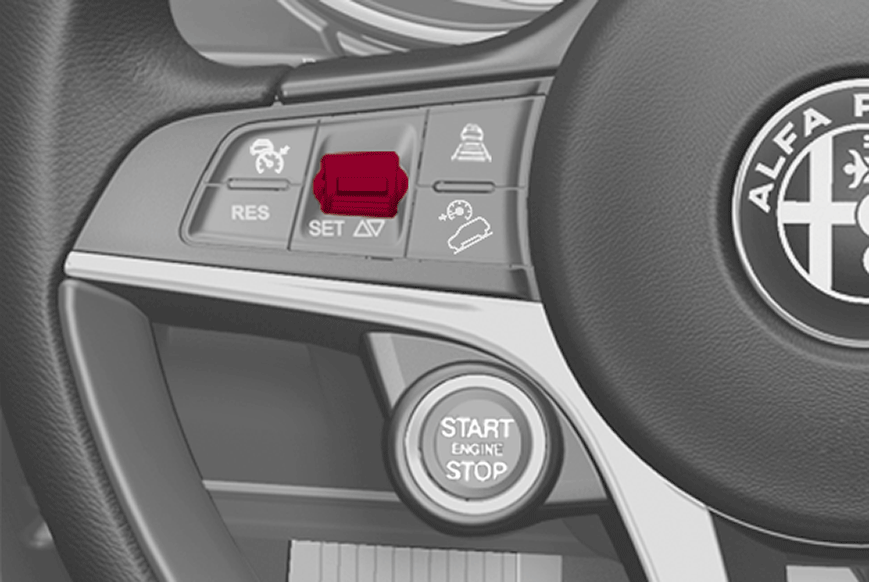
The speed can be set from a minimum of approximately 30 km/h (20 mph) to a maximum of approximately 180 km/h (112 mph). When the required speed is reached, lower/lift the SET button and release it. To activate the device: the vehicle will proceed at the selected speed when the accelerator is released.
RECALLING THE SPEED
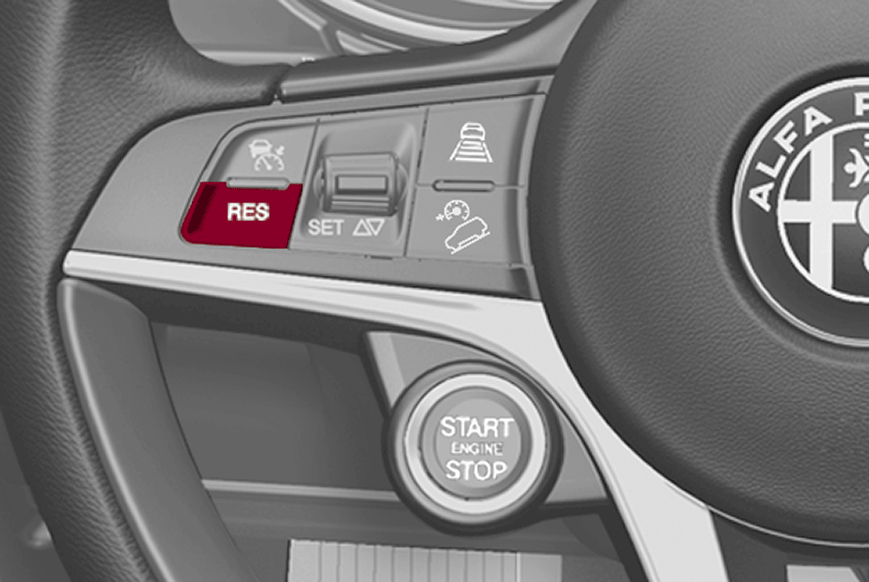
Once the system has been cancelled but not deactivated, if a speed was previously set simply press the RES button and remove your foot from the accelerator to recall it. The system will be set to the last stored speed.
SETTING THE DISTANCE BETWEEN VEHICLES
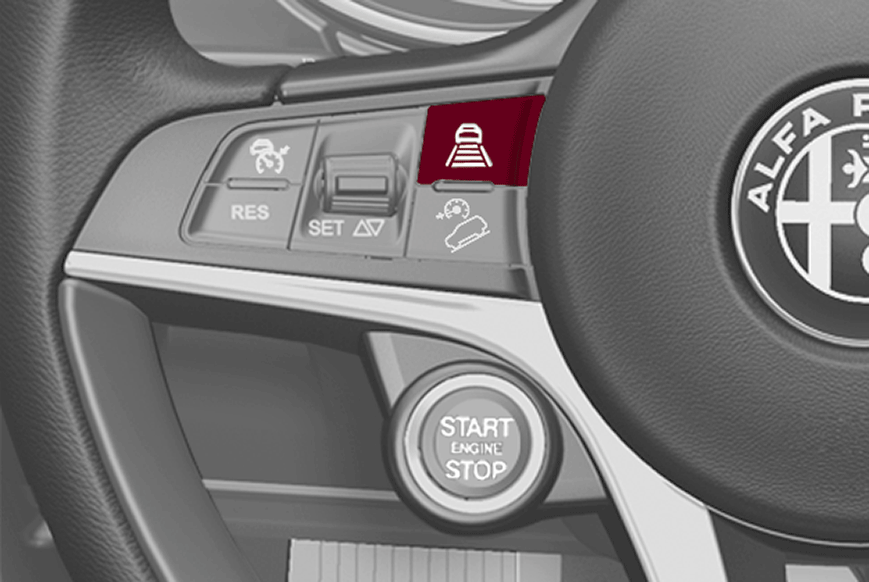
The available distance settings between the vehicle and the vehicle in front are:
- 1 - short
- 2 - medium
- 3 - long
- 4 - maximum
The distances from the vehicle ahead are proportional to speed. The interval of time with respect to the vehicle ahead remains constant and varies from 1 second (for the short distance 1 setting) to 2 seconds (for the maximum distance 4 setting).
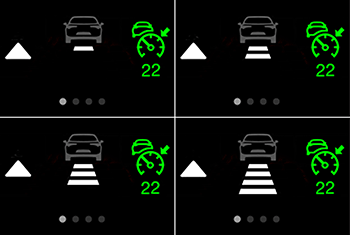
The set distance is shown on the display by means of a dedicated icon.
The setting 4 (maximum) is active the first time that ACC is used. After the distance has been modified by the driver, the new distance will be stored also after the system is deactivated and reactivated. The set speed is held if there are no vehicles ahead.
If a vehicle ahead is detected on the same lane travelling at slower speed, the vehicle icon turns white; the device automatically sets the vehicle speed to keep the distance setting regardless of the set speed.
The vehicle holds the set distance until:
- The vehicle ahead accelerates to a speed higher than the set speed
- The vehicle ahead leaves the lane or the detection field of the Active Cruise Control device sensor
- The distance setting is changed
- The ACC is deactivated/cancelled
STOP AND GO STRATEGY
The "Stop and Go" strategy maintains a safe distance from the vehicle ahead until the vehicle comes to a complete stop and starts the vehicle off again if the vehicle ahead starts moving again within two seconds; otherwise, the accelerator pedal or the RES button must be pressed to restart.
The maximum braking applied by the ACC system is limited. The driver of the vehicle may need to apply the brakes in all cases as needed.
If the ACC system predicts that the braking level is not sufficient to hold the set distance, the IPC will display a "BRAKE!" warning message or a dedicated message will appear on the display while approaching the vehicle ahead. An acoustic warning is also emitted. In this case, it is advisable to brake immediately as necessary to hold a safe distance from the vehicle in ahead.
The driver is responsible for ensuring that there are no pedestrians, other vehicles or objects in the path of the vehicle. Failure to comply with these precautions may cause serious accidents and injuries.
The driver is fully responsible for maintaining a safe distance from other vehicles while adhering to the posted speed limits.