Removal And Installation
REMOVAL
- Disconnect and isolate the negative battery cable.
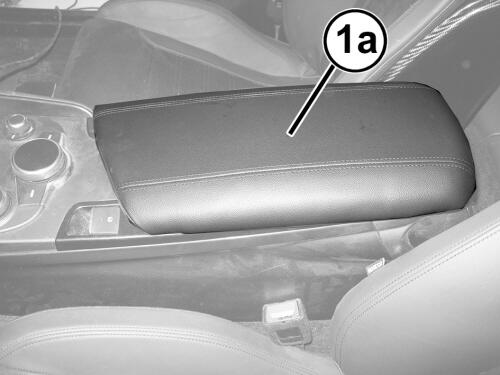
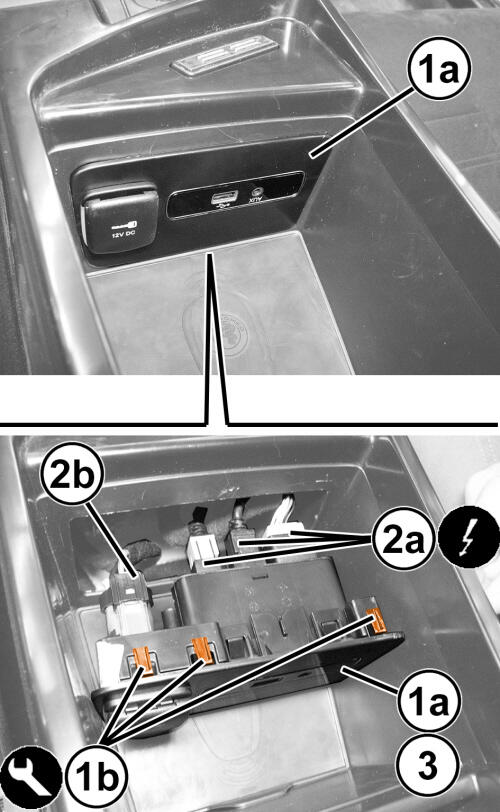
- Open the floor console lid (1a).
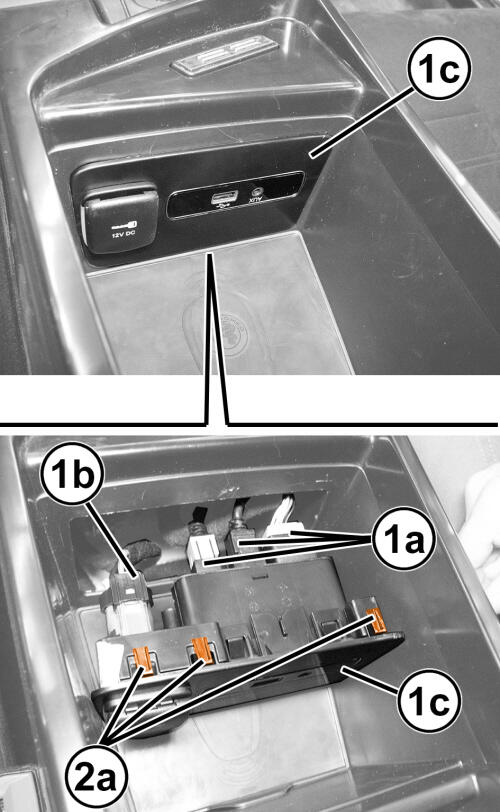
- Using a trim stick or equivalent tool, loosen and pull back the bezel (1a), releasing the retainers (1b) from the floor console storage bin.
- Disconnect the wire harness connectors (2a, 2b).
- Remove the bezel (1a).
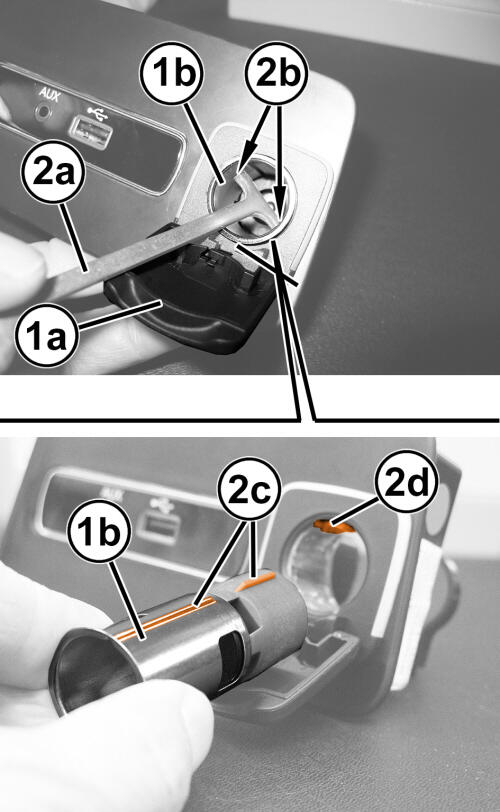
- Open the power outlet cover (1a).
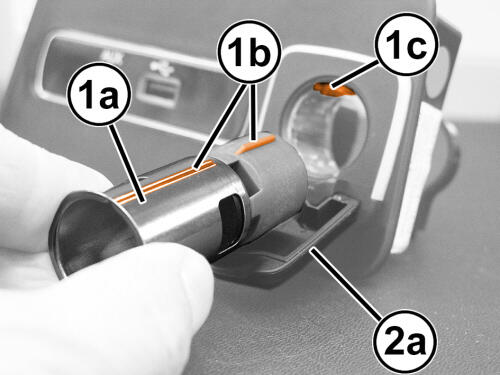
- Insert Remover, Power Outlet (special tool #10246A, Remover, Power Outlet) (2a) in the recesses (2b) inside of the power socket, then carefully extract the power socket (1b) itself. During the removal of the power socket (1b), its ridges (2c) must slide in the housing (2d).
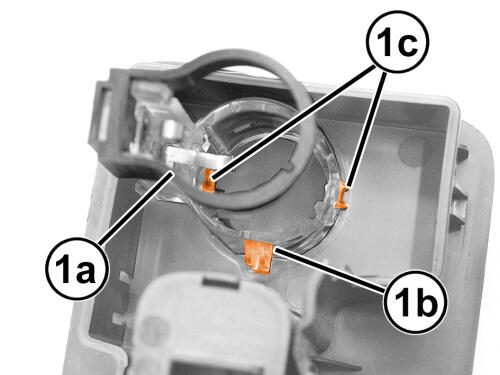
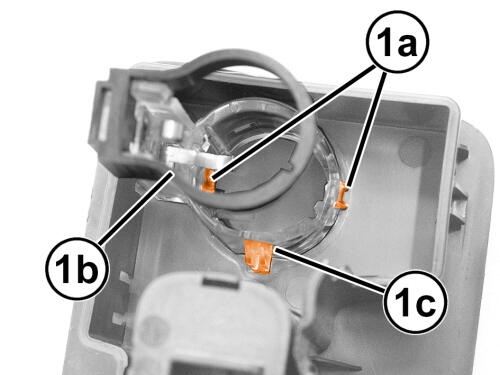
- If necessary, release the retainers (1a) to remove the rear ring nut (1b) releasing the alignment tooth (1c).
INSTALLATION
- Inspect the power socket, the outlet and the wire harness connector integrity.
- If removed, position the rear ring nut (1a) and align tooth (1b) and the retainers (1c).
- Insert the power socket (1a) in its housing, sliding the ridges (1b) in the housings (1c).
- Close the power socket (1a) bezel (2a).
- Connect the wire harness connectors (1a and 1b) to the bezel (1c).
- Position the bezel (1c) to the floor console storage bin and secure the retainers (2a).
- Lower the floor console lid.
- Connect the negative battery cable.